

Description
Download Color Draw – Coloring Book, Animal Coloring Pages, Free Coloring App
Overview
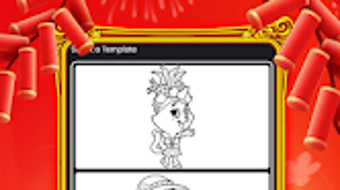
Color Draw is a free coloring book application designed for Android users who enjoy creative, relaxing activities centered around adorable animal illustrations. The app serves as a digital platform for artistic expression, allowing users to explore their imagination by coloring detailed yet charming animal drawings. It is tailored for individuals seeking a low-pressure, enjoyable pastime that promotes mindfulness and creative relaxation. The software is especially suited for children and adults alike, offering a simple yet engaging way to unwind after a long day or pass time during leisure moments.
With a focus on lifestyle and hobbies, Color Draw provides a curated collection of animal coloring pages, each featuring unique designs that emphasize cuteness and whimsy. These illustrations are ideal for users who appreciate soft, approachable artwork and want to experiment with digital coloring without the need for physical supplies. The app’s purpose extends beyond entertainment—it supports artistic development, hand-eye coordination, and emotional well-being through the act of coloring. Whether used for personal enjoyment, classroom activities, or group creative sessions, Color Draw offers a convenient digital alternative to traditional coloring books.
Key Features & Capabilities
- Adorable Animal Coloring Pages: Access a diverse selection of cute animal illustrations, including cats, bunnies, foxes, and more, each designed with intricate yet child-friendly details.
- Intuitive Color Selection: Choose from a wide palette of vibrant colors with a simple tap, enabling quick and seamless transitions between hues.
- Easy Navigation: Browse through pages with smooth swiping and intuitive menu layouts, ensuring effortless access to the entire collection.
- Free Access: The app is available at no cost, making it accessible to users across different age groups and backgrounds.
- Offline Use: Enjoy coloring without requiring an internet connection, ideal for travel or environments with limited connectivity.
Each feature is designed to support a frictionless coloring experience. For example, users can quickly switch between colors while maintaining precision, making it easier to fill large areas or create detailed patterns. The app’s structure allows both beginners and experienced colorists to engage comfortably. Families can use it as a shared activity, while educators may integrate it into creative learning modules. The emphasis on simplicity and accessibility ensures that users can focus on the creative process rather than technical challenges.
User Interface, Workflow & Performance
Color Draw features a clean, user-friendly interface that prioritizes ease of use across all age groups. The layout is organized around a central gallery view, where users can browse through animal illustrations with minimal navigation steps. Color selection is handled through a clearly labeled palette, and the app supports touch-based interactions for smooth drawing and filling. The workflow is linear and intuitive—select a page, pick a color, and begin coloring—reducing the learning curve for new users.
Performance details were not specified by the developer. However, based on general behavior of similar lightweight Android applications, the app is expected to operate smoothly on devices with moderate processing power and memory. The developer did not provide additional system requirements. The app’s file size of 48 MB suggests it is optimized for efficient storage use and quick installation. Stability is likely maintained through standard Android app development practices, though real-world usage reports were not included in the provided data.
Compatibility & System Requirements
Color Draw is designed for Android operating systems. The app is compatible with devices running Android 5.0 and above, though specific version compatibility was not detailed in the release information. Installation requires approximately 48 MB of storage space, which is relatively modest and suitable for most Android smartphones and tablets.
Exact system requirements were not listed. The developer did not specify minimum CPU, RAM, or GPU specifications. Users are advised to ensure their device meets standard Android functionality standards for running third-party applications. Compatibility with different screen sizes and resolutions is assumed based on common Android app development standards, but no official confirmation was provided.
Pros and Cons
Pros
- Free to download and use with no in-app purchases mentioned
- Engaging collection of cute animal illustrations for all ages
- Simple, intuitive interface suitable for children and adults
- Offline functionality allows uninterrupted use
- Lightweight design with minimal storage footprint
Cons
- No information on advanced tools like brushes or layer support
- Unclear if there are future updates or new content releases
- Limited customization options for color tools or canvas settings
- Exact performance behavior on older devices not confirmed
- No integration with cloud storage or sharing features
FAQ Section
Is Color Draw available for iOS devices?
Based on the provided information, the app is currently available only for Android devices.
Can I use Color Draw without an internet connection?
Yes, the app supports offline use, allowing users to color pages without requiring an active internet connection.
Is the app completely free, or are there in-app purchases?
The app is listed as free, with no pricing details provided for additional features or content.
Does Color Draw support multiple screen sizes?
While not explicitly confirmed, the app is expected to be compatible with various screen sizes common on Android devices.
How often are new coloring pages added?
The developer did not provide information on update frequency or content expansion plans.
Final Thoughts
Color Draw delivers a straightforward, enjoyable digital coloring experience tailored for users who appreciate cute animal illustrations and creative relaxation. Its lightweight design, free access, and intuitive interface make it a strong choice for casual users, children, and those seeking a simple yet fulfilling hobby. While advanced features are not available, the app fulfills its core purpose effectively—offering a peaceful, artistic outlet without complexity.
For individuals looking for a reliable, no-cost tool to spark creativity and reduce stress, Color Draw stands out as a practical and accessible option. Its focus on simplicity and accessibility ensures broad appeal across age groups. Whether used for personal enjoyment or shared family time, the app provides a satisfying digital coloring experience.
Download Color Draw now
Guides & Tutorials for Color Draw
How to install Color Draw
- Click the Preview / Download button above.
- Once redirected, accept the terms and click Install.
- Wait for the Color Draw download to finish on your device.
How to use Color Draw
This software is primarily used for its core features described above. Open the app after installation to explore its capabilities.
User Reviews for Color Draw 0
No reviews found





